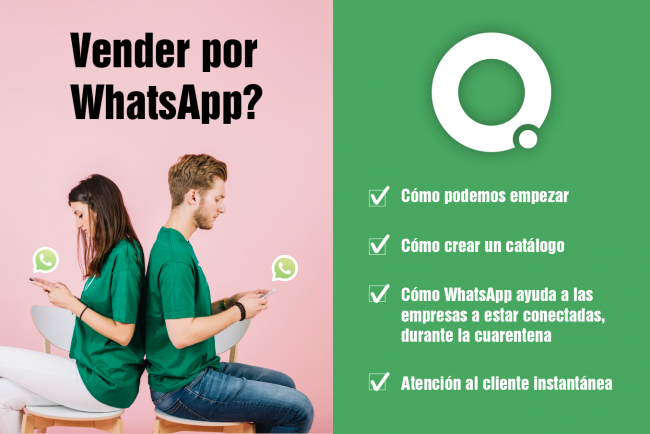
In these uncertain times, retailers are drawing on their ingenuity to keep selling as normally as possible.
If you want to boost your online sales — especially now, when staying at home is both mandatory and necessary — a great option is to sell through WhatsApp.
WhatsApp has taken another step forward in improving the relationship between customers and sellers, giving all small, medium, and large businesses the opportunity to add their product catalogue so that users can browse it or even buy what they need.
At the end of 2019 WhatsApp launched the ability for users with a business profile to create and upload their product catalogue on this social network, although until recently this feature had not arrived in Spain. It is especially useful for all those businesses and SMEs that want to showcase their products or services to existing or potential customers.
How to start selling on WhatsApp
- The first thing to do is to download the WhatsApp Business app for free from Google Play or the Apple App Store.
- Once downloaded, you need to create your business profile. Bear in mind that to register for WhatsApp Business you need a new phone number that is not linked to any other WhatsApp account.
- Next, you need to add your business name. Once added, it cannot be changed. Be very careful with this step!
- Once your business name has been added, you can add your business information — email address, website details if you have one, business hours, etc.
Here you can also set up automatic messages for your customers to inform them of your customer service hours, or create automatic question-and-answer responses for the queries you most commonly receive.
Another interesting point to bear in mind, if you have a business profile, is that you can view statistics about your profile — how many people contacted you, how many messages you received, and so on — in short, its activity.
Once you have added all your business information, you can share your business profile via WhatsApp with a custom URL. This makes it easy for users to get in touch from your social media channels or website.
How to create a catalogue on WhatsApp
Having a catalogue on WhatsApp gives small and medium-sized businesses a shopfront to promote their products.
This catalogue will allow you to showcase your products and, of course, sell them directly within the app, without customers needing to visit your online store.
- The first thing you need to do is open the WhatsApp Business app and go to the "Settings" tab, located in the top right corner of the screen.
- Then go to "Business settings" and select the "Catalogue" option.
- The next step is to add a product or service. You can tap the (+) symbol to add images of the products you want to upload.
- Each product you upload must have a name and a brief description so that the customer always knows what they are buying.
- As a final step, tap Save.
These steps can be repeated as many times as needed until you have uploaded all the products you want to add to your catalogue.
- To share your products, tap the (+) symbol and then tap "Share".
Removing products from a WhatsApp catalogue
If you want to remove an item you have uploaded to your catalogue because you no longer sell it or it is out of stock, simply go to the WhatsApp Business app:
- More options > Settings > Business settings > Catalogue.
- Tap the product or service you want to remove > Delete > Yes.
Advantages of having your product catalogue on WhatsApp
- Generate traffic. To your website or social media by having the option to add a link to your product.
- Better product management and administration. Without the need to create a product sheet from scratch. This makes it easier to send information without having to write it again and again.
- A free public catalogue, available 24 hours a day. This makes it a truly powerful tool for both entrepreneurs and small and medium-sized businesses.
- Increase your sales. By having a direct tool through which you can share your products with your customers in a single click.
How WhatsApp helps businesses stay connected during lockdown
Create a direct link
When you create a WhatsApp Business account, a direct link to your business is created that you can share via your website, social media, email, and so on.
If you share this direct link with your customers, you will achieve more fluid and agile communication with them.
To get your direct link on WhatsApp Business and share it, simply go to:
- WhatsApp Business > Settings > Business settings.
- Then tap "Direct link" to see the link that has been generated.
Share your business information
If you are planning to change your business hours during these days, simply go to your business profile and update anything you consider relevant for your customers. To edit your business information, simply go to:
- WhatsApp Business > More options > Settings > Your business > Edit.
- Tap any of the fields you want to update > Save.
Share updates to your product catalogue
Through WhatsApp groups, you can share the latest additions to your catalogue.
To create a WhatsApp group, simply:
- Open WhatsApp and go to the Chats tab.
- Tap More options > New group.
- Search for and select the contacts you want to add to the group, then tap the green arrow icon.
- Enter the group subject. This will be the group name and will be visible to all participants. It has a 25-character limit.
- Tap Done.
Instant customer service
Thanks to the calls and video calls available through WhatsApp, you can provide quality customer service and answer all your customers' questions instantly.
Conclusion
Having a product catalogue uploaded to WhatsApp is the equivalent of having an online store where businesses can showcase and share their products with customers.
It is especially useful for all types of businesses, but particularly for those that, during these days when no activity is permitted, need to keep generating income.
We hope this article has been useful, and that you can integrate your catalogue into WhatsApp Business as soon as possible so that during these days when it is so needed, you can keep selling.
To find out more about how to use the WhatsApp catalogue in your business, do not miss this YouTube video.